
A group and a segment can show the same subscribers, which makes the difference easy to miss. We tested what happens when that overlap changes: two contacts stayed in a group called Pool, while we changed their membership in a second group called Selected. A saved segment required membership in both.
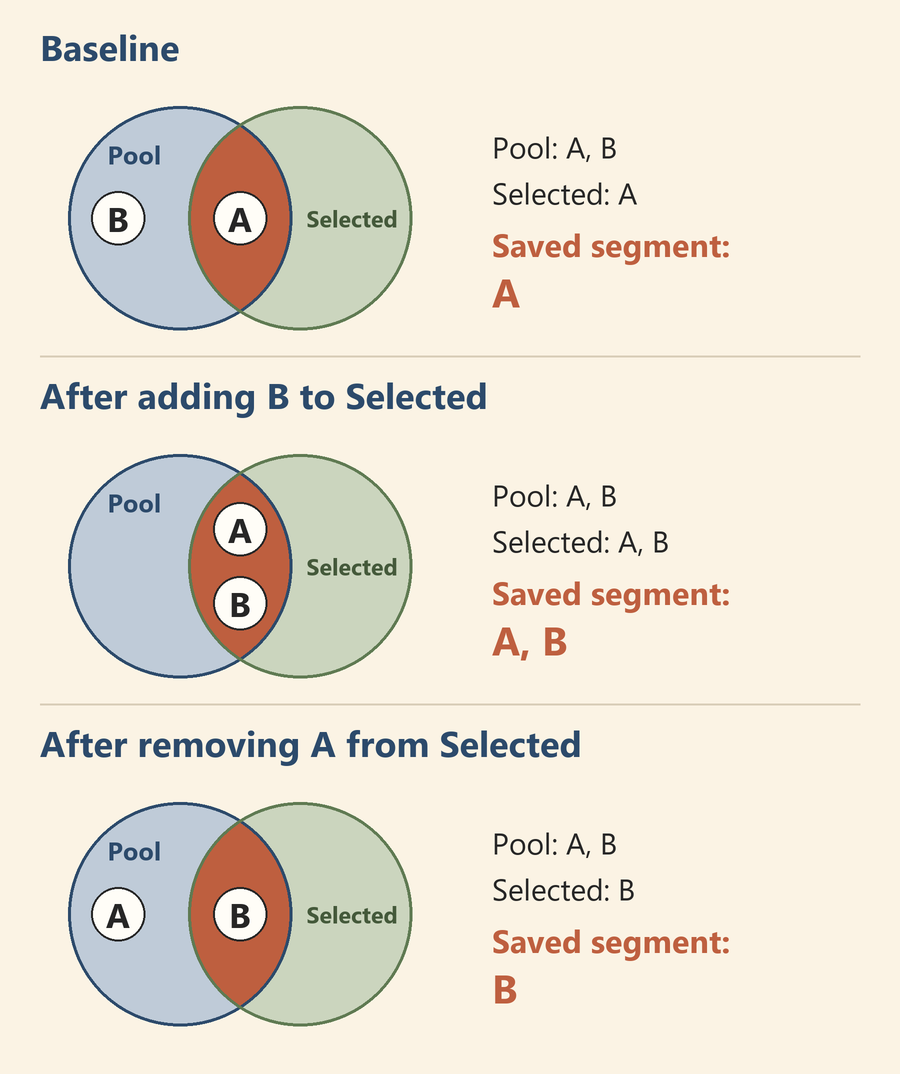
The segment showed A, then A and B, then B. Pool still contained both contacts at every recorded stage. We checked the subscriber rows after reopening the relevant lists; this was a membership test, not a measurement of update speed.
Our previous MailerLite test followed a new subscriber from confirmation to a welcome email. This time, the question was how to maintain a subset after contacts are already in the account.
What groups and segments mean here
MailerLite describes a segment as a list governed by rules: subscribers enter or leave as they meet or stop meeting those rules. Group membership is assigned rather than continually evaluated against an eligibility rule. Groups can be changed manually, through an automation action, or through an API integration. They are not limited to manual updates. MailerLite: Groups and segments.
For this test, we changed group memberships in subscriber profiles. The saved segment used two separate conditions joined by AND, so a contact needed to belong to both groups. MailerLite’s documentation distinguishes this from OR, which accepts either condition. MailerLite: Creating segments.
The setup
We ran the test on November 3, 2026, Korean time, in the current MailerLite web app. The account displayed 14-day trial, 3 days left. We did not test a Free-only account.
We created two new, self-controlled test contacts, called A and B here. Their addresses were aliases of the same inbox, so they represent two subscriber records, not two independent recipients. We left existing subscriber records unchanged.
The two fresh groups had date-stamped test names. For readability, this article shortens them to Pool and Selected. Before starting, we checked that the account’s one existing workflow was inactive. No campaign, signup form, or email send was part of this experiment.
The three stages
First, we added A and B to Pool and A to Selected. We then saved a named segment with these conditions:
Groups → Belongs to → Pool
AND
Groups → Belongs to → Selected
The baseline segment contained A. Both group views and the segment view were showing Active subscribers.
Next, we opened B’s subscriber profile, used Edit, added Selected to its group memberships, and saved. After reopening the lists, Selected and the saved segment each showed A and B. Pool still showed both.
Finally, we opened A’s profile and removed only Selected from its group memberships. We kept Pool selected and saved the change. The saved segment then showed B, while Pool still showed A and B. We did not edit the segment’s rules between stages.
| Recorded stage | Pool group | Selected group | Saved segment: Pool AND Selected |
|---|---|---|---|
| Baseline | A, B | A | A |
| After adding B to Selected | A, B | A, B | A, B |
| After removing A from Selected | A, B | B | B |
These are observed subscriber identities, not just totals from a list overview. All three recorded list views used the Active status filter.
Reopening the lists mattered
Two group views initially showed older membership: the first Pool view after adding the contacts, and the first Selected view after adding B. We confirmed the saved memberships in the subscriber profiles, then revisited the group pages and saw the updated rows.
That distinction matters when checking a change. The table reports the states we verified after revisiting the lists. We did not measure the delay, establish why an earlier view was stale, or verify an instant update. If a displayed list appears unchanged, checking the saved profile membership and reopening the list gives you a second observation before drawing a conclusion.
Leaving a group did not unsubscribe A
At the end, A’s profile still showed Active, with Pool as its group. B remained Active and belonged to both groups. Both profiles showed Emails sent: 0, and the existing workflow remained inactive.
Removing A from Selected changed its eligibility for the segment; it did not remove A from Pool or change its subscriber status in this test. MailerLite’s groups guide lists Remove from group as its own action, and its help center covers deleting and unsubscribing subscribers in separate articles. MailerLite: Using groups.
For a similar check in your own account, give each test contact an unambiguous label, record the starting memberships, and save the segment before changing a group. Keep the rules fixed, then inspect the actual rows and the status filter after each change. This makes it easier to tell whether you changed the input memberships or the audience rule itself.
The useful result here is narrow: one saved intersection followed two group-membership changes while the wider Pool stayed intact. Two contacts in one trial account do not establish behavior at scale, email delivery results, or which features will be available after the trial. They do provide a concrete example of why a saved segment can be useful when the audience should follow a rule.
Leave a Reply