You send a campaign, and within minutes the report shows a burst of opens and clicks. Some subscribers seem to have opened it several times or clicked every link. Before you treat that as interest, it helps to know that two different things can put numbers in a report without a person reading anything.
One is Apple Mail Privacy Protection, which affects opens. The other is security systems that check links before a message reaches the reader, which can affect both opens and clicks. They work differently and leave different traces. This post sets out what Apple’s and MailerLite’s guides say about each, and what to look at in a MailerLite report before you act on the numbers.
Two causes, two footprints
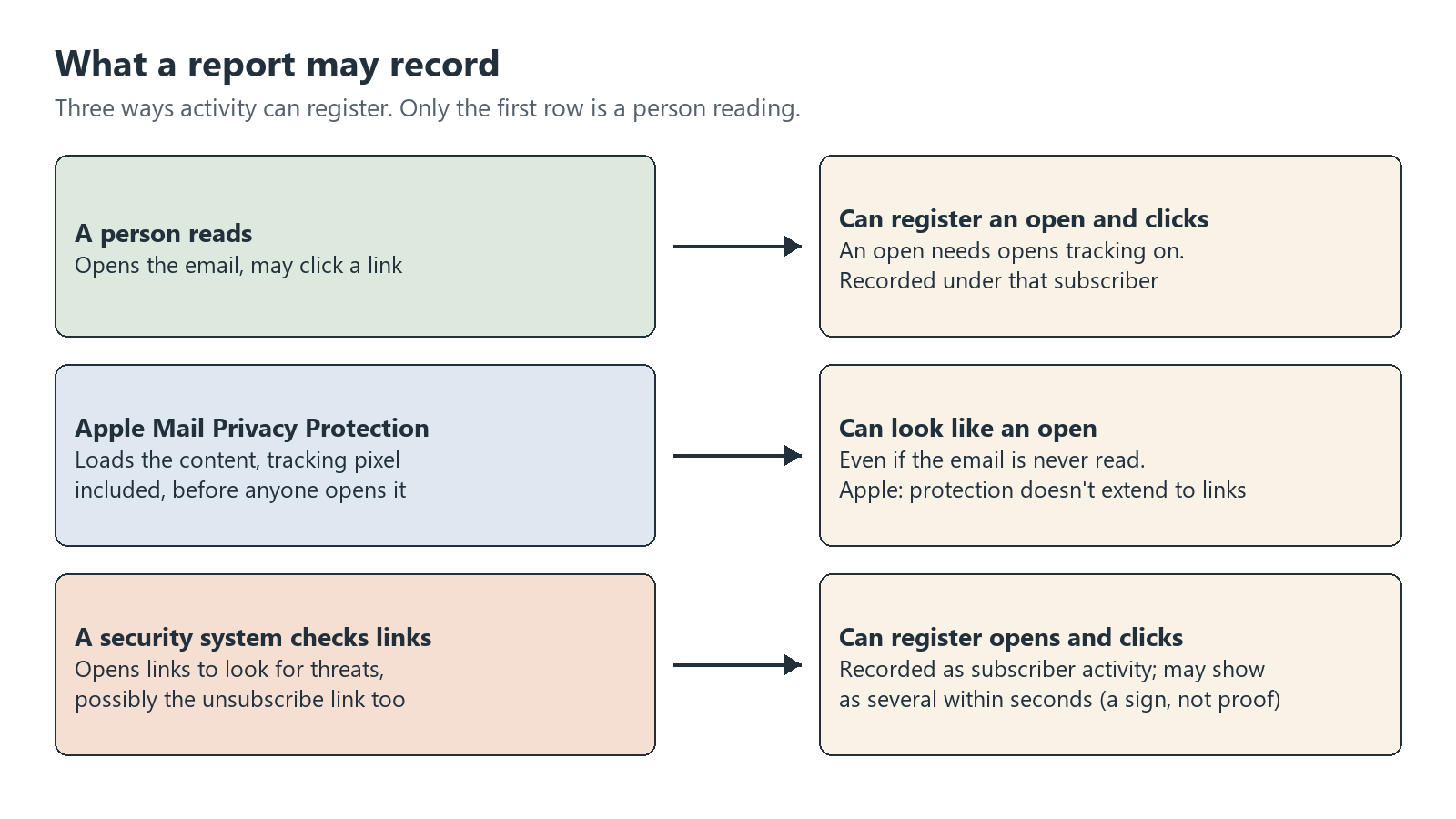
| Item | Apple Mail Privacy Protection | Link-checking security systems |
|---|---|---|
| What it does | Loads the email’s content, including tracking pixels, before the person opens it | Opens links in the email to check them for threats |
| Numbers it can raise | Opens | Opens and clicks |
| What Apple says its protection doesn’t extend to | Links and attachments | Not applicable |
| What MailerLite says you may see | An open even if the subscriber never opens the email | Several opens or clicks within seconds under one subscriber |
| Effect on deliverability, according to MailerLite | None | Not stated |
Apple Mail Privacy Protection: opens that may not be real
Apple’s Mail Privacy Protection guide says the feature “hides your IP address so senders can’t link it to your other online activity or determine your exact location. It also prevents senders from seeing if you’ve opened the email message they sent you.” It also says: “Mail Privacy Protection does not extend to links or email attachments such as PDF or other files.”
MailerLite’s tracking guide, last edited September 10, 2026, explains how this shows up on the sender’s side: “This privacy feature works by pre-loading content—including tracking pixels—before someone even opens the email. To you, the sender, this will appear as if the email was opened, even if the subscriber never does.” It adds that this “will not affect your deliverability.”
So an Apple Mail reader can look like an opener even if they never opened the email. Pre-loading explains opens. The automatic clicks covered below come from link checking, which is a separate thing.
That matters most for features that act on opens. The same guide lists what stops working when you turn opens tracking off:
- A/B split campaigns based on opens
- Auto resend campaigns based on opens
- Opens by location
- The automation condition “Was/was not opened”
- Countdown timers
MailerLite’s advice for lists with many Apple Mail users is direct: “we recommend disabling opens tracking or temporarily excluding them from campaign types that rely on opens to function, such as A/B tests and auto resend campaigns.” It also notes that A/B split tests and auto resend campaigns “can still be run based on clicks” and “can still be sent based on clicks.” Clicks have their own noise, though, as the next section shows.
Link checkers: clicks nobody made
MailerLite’s guide Why does my campaign show unusually high opens or clicks?, last edited August 26, 2026, describes the second cause: “Some email servers and security systems preemptively click links to verify their safety and protect recipients from potential threats like phishing or malware.”
It goes on: “While beneficial for security, this can inflate your campaign open and click statistics. Bot activity can be identified by multiple opens/clicks made within seconds, logged under an individual subscriber’s activity.”
The reports guide says the same about clicks, with one more detail: these systems scan “by automatically clicking every link to check for threats,” and “MailerLite records these automated clicks as subscriber activity.”
Two cautions about reading this:
- The within-seconds pattern is a sign, not proof. MailerLite gives it as a way to spot bot activity. The guides don’t say every scanner behaves this way, and a report row doesn’t say who or what made the click.
- Not every high click count is a bot. The reports guide gives a second reason: “If that subscriber forwards the email, any clicks from the new recipient are still counted under the original subscriber.”
The unsubscribe link is a link too
MailerLite recommends a confirmation step to reduce unsubscribes nobody meant to make. The reason: a scanner that opens every link can open your unsubscribe link. MailerLite’s link-clicking guide says this “can occasionally trigger unintended actions, such as unsubscribing the recipient from a newsletter,” and that it “can happen if you use our Unsubscribe immediately setting.”
The unsubscribe page guide describes that setting: “Unsubscribe immediately – Allow subscribers to unsubscribe in one click. This option skips the Unsubscribe page and directs unsubscribers straight to the Success page.” Without it, the Unsubscribe page is where “subscribers confirm their decision to unsubscribe.”
That confirmation is the safeguard the link-clicking guide points to: it “prevents any automatic process from completing the action without explicit subscriber intent.” The guide also calls these occurrences “rare” and says they “will not significantly affect sender reputation or campaign effectiveness.”
The unsubscribe page guide also says “Editing the unsubscribe page is a paid feature available on the Comfort and Power plans.” MailerLite’s guide doesn’t say whether Free accounts can change the Unsubscribe immediately setting.
What to check in a MailerLite report
The reports guide defines Opens as “The number and percentage of subscribers that opened your campaign” and Clicks as subscribers that “clicked at least one link.” Behind those totals, two tabs help you see what made them.
- Compare total and unique clicks in Link activity. The tab shows “the total number of clicks for each link, as well as the number of unique clicks for each link.” A large gap shows repeated recorded clicks, which can come from the subscriber, a forward or a scanner.
- Open Subscriber activity for the busiest subscribers. It lists each subscriber “with the total number of times they opened and clicked that campaign.” For a subscriber with many clicks, check whether they landed within seconds of each other.
- Ask whether the email was forwarded. A forward adds the new reader’s clicks to the original subscriber.
- Decide how much to trust opens before you use open-based features. If many of your readers use Apple Mail, MailerLite suggests turning off opens tracking or leaving those readers out of open-based campaigns.
- If your plan shows the Unsubscribe immediately setting, check whether it is on. It is listed under the unsubscribe page settings.
What this post doesn’t cover
- Bot shares and deliverability. This post doesn’t estimate how many opens or clicks come from Apple Mail or link checkers, or how they affect deliverability.
- Other mail services. It covers what Apple and MailerLite say. How other mail services load images or check links is outside it.
- How to tell bots apart for sure. The guides offer signs, not a test that settles it.
Leave a Reply